Personal software: micro apps, home-cooked apps and malleable software, explained
Personal software is an app made for one person or one household, not a market. What the terms mean, who coined them, why AI agents made it practical, and the hard parts.
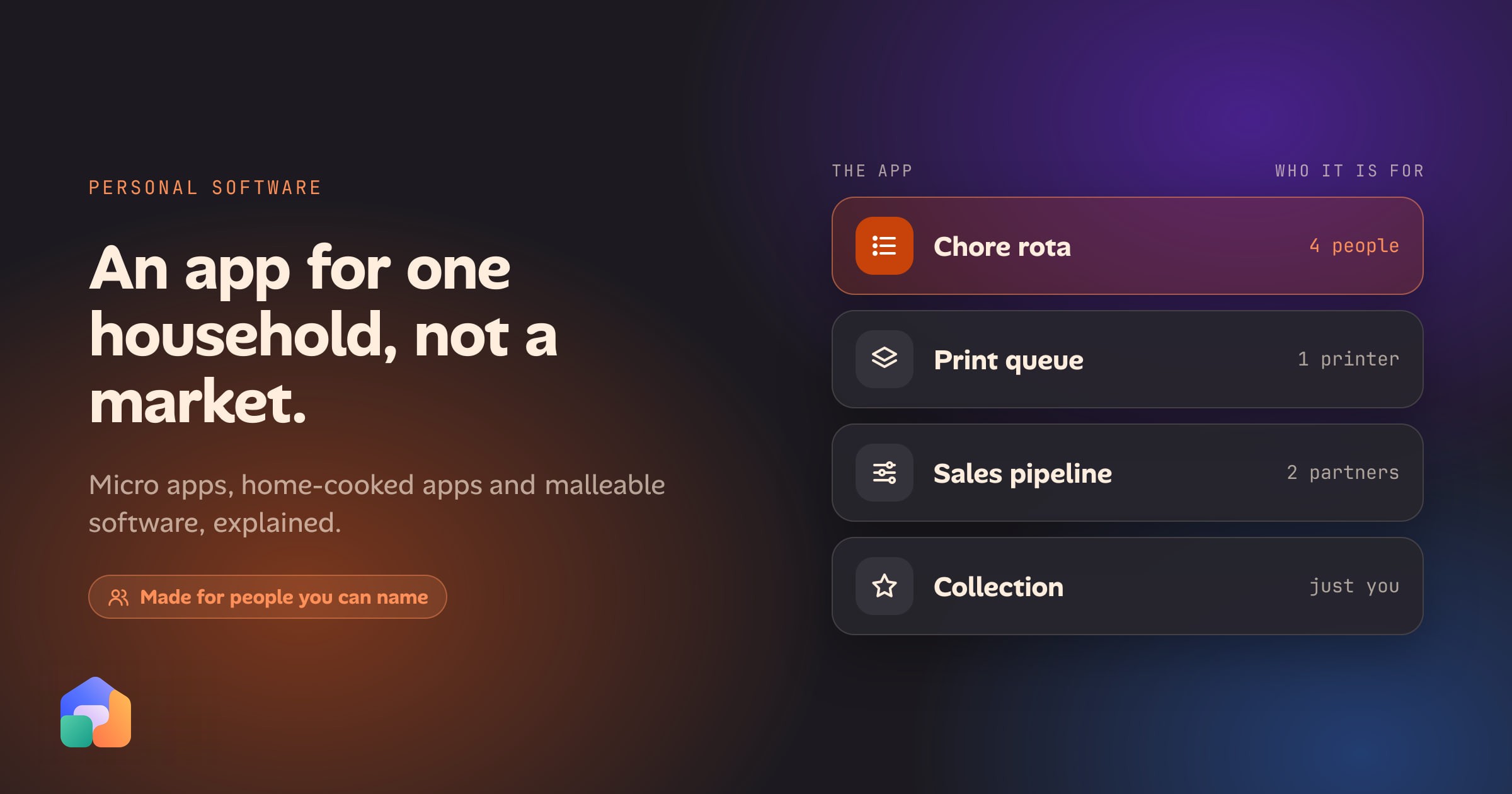
Personal software is an app made for one person or one household rather than a market: the chore rota, the print queue, the pipeline that fits how you actually sell. It has a handful of users you can name and no plan to grow. People have called it a home-cooked app, a micro app and malleable software, and those names are not quite synonyms.
This post defines each term, credits the essays they come from, explains why AI coding agents changed who can make this kind of software, and is honest about the parts that are still hard.
What is personal software?
Most apps are built for a market. Someone has to guess what a million people want, and each of those people gets the average of the guess. Personal software turns that around. It is built for a specific person or a small group, and it can be as odd as they are.
Three things mark it out:
- You can name the users. You, your household, your two business partners. There is no sign-up page because nobody is signing up.
- It doesn’t need to grow. No onboarding, no pricing, no analytics. It is finished when it does the job.
- It encodes one way of doing things. Your chore rules, your sales stages, your categories. Nobody else’s have to fit.
The idea is older than the name. A shared spreadsheet with a few formulas is personal software, and so is the script a colleague wrote years ago that the office still runs. What changed recently is how many people can make something more capable than a spreadsheet.
The terms, and where they come from
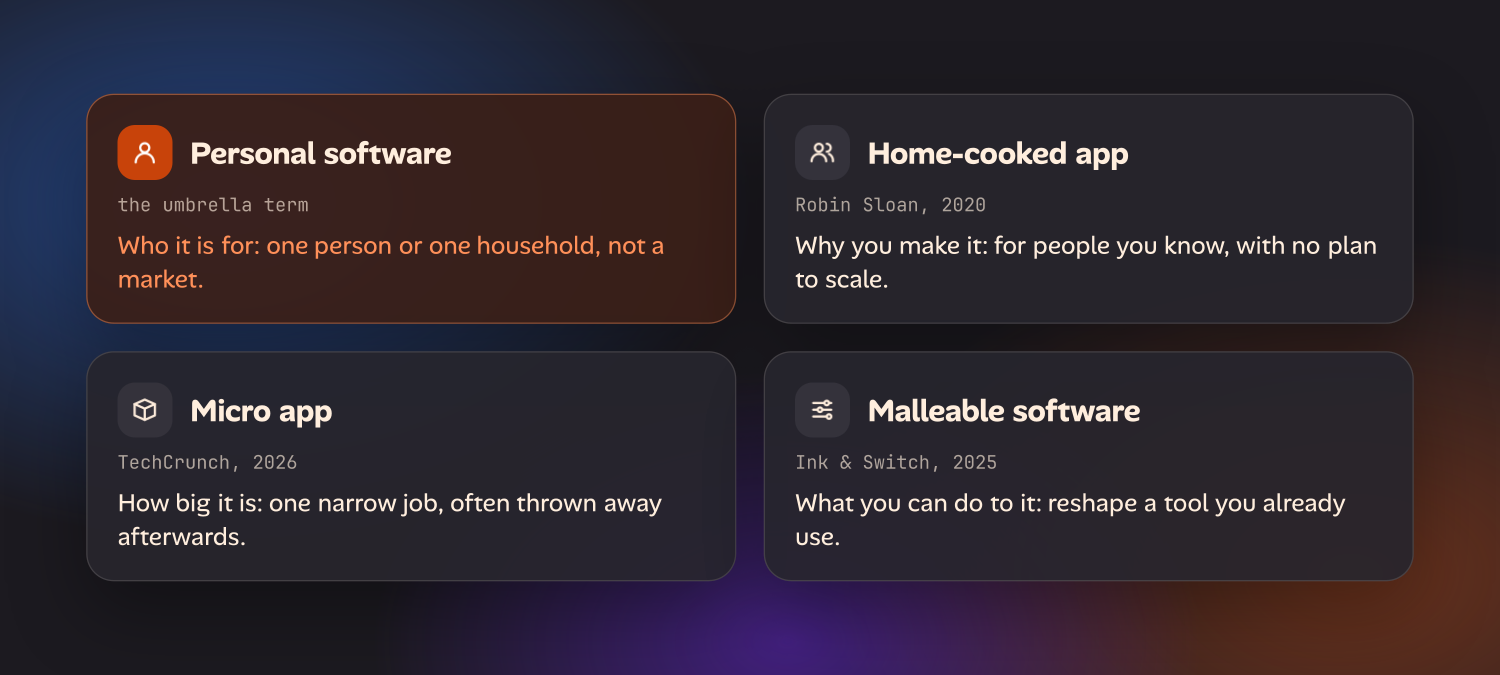
Home-cooked app
The phrase comes from Robin Sloan’s 2020 essay An app can be a home-cooked meal. Sloan built a small messaging app for his family of four and never put it in the App Store. He calls himself “the programming equivalent of a home cook”: someone who makes things for the people at the table, with no ambition to open a restaurant. The point of the metaphor is that cooking at home needs no business case, and neither should an app.
Maggie Appleton extended the idea in her 2024 talk Home-Cooked Software and Barefoot Developers. She describes home-cooked apps as ones “you make for the people you know and love”, and argues that language models would let a new group build them: people who understand their community’s problem well and are technical enough to try, but are not professional programmers.
Personal software
“Personal software” is the plainest name and the one this post uses as the umbrella. Lee Robinson’s short 2025 essay Personal Software argues that software can now adapt to you instead of the other way round. The GitHub Blog’s Building personal apps with open source and AI covers the same ground from a developer’s side: start from open-source parts and let an AI assistant do the tedious joining-up.
Micro app
“Micro app” took off with TechCrunch’s January 2026 piece The rise of ‘micro’ apps, about non-developers writing apps instead of buying them. The article also calls them personal apps and fleeting apps, and quotes a computer science professor describing them as “extremely context-specific”, made for a niche need and gone when the need is. A micro app might last for one holiday, one house move or one season of a kids’ football team. That is the difference from a home-cooked app, which is usually meant to last.
Malleable software
Malleable software is the odd one out, and the most demanding. In Malleable software: restoring user agency in a world of locked-down apps (2025), the research lab Ink & Switch describes “a software ecosystem where anyone can adapt their tools to their needs with minimal friction”. The stress is on adapting tools you already have, not on generating new ones.
The essay is direct about what AI does and doesn’t fix. Generating an app from a chat is real progress, but the authors ask how people can tweak the tools they’ve already installed, “rather than just making new siloed applications”, and how those tools can work together. Their line for it: bringing AI coding tools into today’s software ecosystem is “like bringing a talented sous chef to a food court”. Simon Willison’s notes on the essay are a good short way in.
How they relate
| Term | Stresses | Typical lifespan | Starts from |
|---|---|---|---|
| Personal software | Who it is for | Any | Anything |
| Home-cooked app | Why you make it: for people you know | Years | Usually scratch |
| Micro app | How small it is | Days to months | Scratch, usually with an AI builder |
| Malleable software | Being able to change it | As long as the tool | A tool you already use |
In practice a single app can be all four. A family meal planner you built yourself, keep small and can still change next year is personal, home-cooked, micro and malleable at once.
Why AI coding agents changed the economics
An app used to cost weeks or months of a developer’s time. The only way to justify that was to sell it to many people, so software got built for markets, and a need shared by four people went unserved unless one of them could program.
Coding agents such as Claude Code and Codex cut the cost of the building itself. You describe what you want, the agent writes it, you look at the result and say what is wrong. A small app can go from idea to working in an evening. Hosted builders like Lovable, Bolt and Replit do the same from a browser tab, and they are the quickest route from a sentence to a link you can open. Francis Irving’s Vibe coding personal apps in mid-2026 is a good first-hand account of what a year of doing this looks like.
Two things did not get cheaper:
- Knowing what you want. The agent can’t decide whether the bins count as one chore or two. Being clear, answering its questions and testing the result is the work now.
- Everything after it runs once. Somewhere for it to live, a way for other people to get in, a place for the data and someone to keep it working. This is the same gap Appleton pointed at in 2024, and it is most of the rest of this post.
What people actually build
The good candidates have little data, few users and strong opinions about how the job should be done.
At home
- A chore rota that rotates fairly, skips whoever is away this week and knows the bins go out on Tuesdays.
- A meal plan and shopping list built around what your family eats, not a recipe site’s idea of dinner.
- A pet or medication log so two adults stop asking each other whether the dog has been fed.
- A school-run and activities rota shared between two or three families.
- A house log: when the boiler was serviced, which paint is on which wall, where the warranty is.
- A pocket-money tracker with your own rules for what earns what.
For a hobby
- A print queue for a 3D printer: who asked for what, in which filament, and what is next.
- A collection catalogue for records, watches, plants or Lego, with the fields that matter to you and none that don’t.
For a small business
- A pipeline that fits how you sell. If your real stages are “sample sent” and “site visit booked”, a CRM built around demos and seats is the wrong shape.
- A job sheet or quote builder that uses your price list and your wording.
- A booking or stock list for the one thing your business has that no off-the-shelf tool models properly.
None of these needs to be clever. Each one is small enough to describe in a few paragraphs, which is about the size an agent handles well.
The hard parts
Building the first version is now the easy bit. Whether the app is still in use a year later depends on four duller questions.
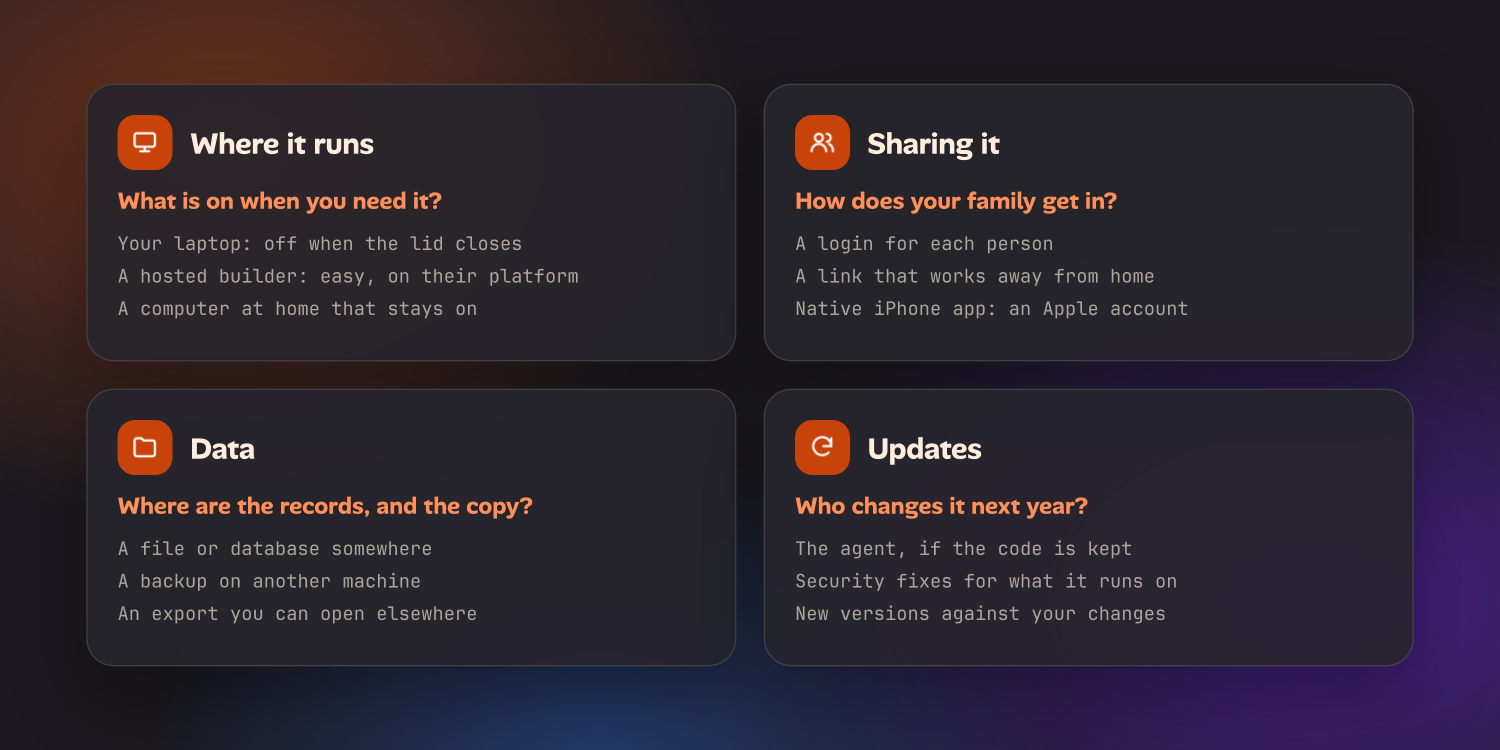
Where it runs
| Option | Good for | The catch |
|---|---|---|
| Your own laptop | An app only you use, at your desk | It is off when the lid is closed, and nobody else can reach it |
| The builder’s platform | Getting a shareable link in minutes | The app and its data live on their service, on their plan |
| A rented server | Always on, reachable from anywhere | You are now running a server: updates, security, backups |
| A computer at home that stays on | Always on, and the data stays in your house | Needs a private link, such as Tailscale or Cloudflare Tunnel, to reach it from outside |
There is no wrong answer here, only a mismatch. A micro app for one weekend is fine on a hosted builder. A chore rota the whole family checks from their phones for years wants something that is always on and that you control.
Sharing it with family
The moment a second person uses the app, you need to know who they are. That means logins, and a login system is exactly the sort of thing that is easy to get almost right.
Phones add their own problem. A native iPhone app outside the App Store needs a paid Apple Developer account, and TestFlight builds expire after 90 days, so somebody has to keep re-uploading. Sloan wrote that his family app would stay in TestFlight for good. For most personal software a web app saved to the home screen is the easier route: no store, no review, and it works on Android too.
Data
A personal app is mostly its data. The app can be rebuilt in an evening; four years of records can’t. So ask three things before you depend on one:
- Where are the records? A file on your disk, a database on someone’s platform, the browser’s storage on one phone.
- Is there a second copy? A personal app with no backup has an end date. You just don’t know it yet.
- Can you get them out? A CSV or JSON export you can open elsewhere is what lets you leave.
There is also the silo problem Ink & Switch describe. Ten separate micro apps know nothing about each other: the meal planner can’t see the shopping list, and the training log can’t tell the calorie counter you ran this morning.
Updates
Personal software has two kinds of update, and both get forgotten.
The first is yours. You will want the rota to handle school holidays next summer. That is easy if the code, and some notes on how it is built, are still somewhere an agent can work on them. It is hard if the app only exists as a chat you had eleven months ago.
The second is everyone else’s. If you started from an open-source app, its author keeps releasing new versions, and each one has to be reconciled with your changes. That is the old problem of maintaining a fork, and it is the main reason people stop customising software they didn’t write. Even an app written from scratch runs on frameworks and libraries that need security fixes.
Oikou’s take
Oikou is built around this idea, with one opinion added: the easiest personal software to make is a change to an app that nearly fits.
Oikou runs open-source web apps on a Mac or Linux computer you own. When one of them doesn’t suit you, you tell your own AI what you’d do differently, in plain language. Your own Claude Code or Codex, signed in with the Claude or ChatGPT plan you already have (its usage limits apply), rewrites the app on a private draft. You try the draft and keep it only if you like it. The apps are MIT-licensed, so the version you end up with is yours. How changing an app works shows it step by step.
That is the “tweak the tools you’ve already installed” half of malleable software, which a blank chat box doesn’t give you. Here is how it lines up against the hard parts:
- Where it runs. On your computer, one that can stay on, such as a Mac mini or an old laptop. You use the apps from the Oikou app or any browser.
- Sharing. You can invite someone to a single app by email. They sign in with a one-time code, install nothing and see only the app you shared. Inviting people outside your own network needs a domain, which setup walks you through.
- Data. It stays on your computer. Apps share what they know with each other only through permissions you approve, which is Oikou’s answer to the silo problem. At launch, Oikou takes nightly local snapshots and every app can export its data; off-site backup isn’t built yet, so keep a copy somewhere else.
- Updates. At launch, updates keep your changes: new versions are merged with yours, and you preview before anything changes.
The Catalogue at launch happens to include several of the examples above: Forge is a print queue for a 3D printer, Collection is a catalogue for what you collect, Pipeline tracks deals and follow-ups, and Tasks holds shared lists. A chore rota with your family’s rules is the kind of change you would ask for on top of Tasks.
For an app that doesn’t exist yet there is ion. You describe the app you wish existed, it asks what it can’t work out, shows you a plan to approve, and then builds on your own computer. It is the tool Oikou’s own apps are built with, described on the developers page. If you already use Claude Code or Codex, the page for builders covers that side; if this would be your first app, start here.
Where to start
Whatever you build it with, the same order helps:
- Pick a job you already do with a workaround. A spreadsheet, a group chat, a note on the fridge. If you do it every week, the app will get used.
- Look for something that nearly fits first. Changing an existing open-source app is less work than starting from nothing, and you inherit its fixes.
- Decide where it will run before you build it. A micro app for one trip can live anywhere. Something your family relies on needs to be always on.
- Write down who uses it. One person, or four? That decides whether you need logins at all.
- Make sure the data can leave. Ask for an export on day one, and keep a second copy.
Sloan’s point from 2020 still holds. An app doesn’t need a market to be worth making. It needs somebody at the table who wants it.
Questions
- What is personal software?
- Personal software is an app made for one person or one household rather than a market: a chore rota for your family, a queue for your 3D printer, a sales pipeline with the stages you actually use. It has a handful of users you can name and no plan to grow. AI coding agents made it practical for people who are not developers, because the building now takes an evening of describing instead of weeks of programming.
- What is a micro app?
- A micro app is a small app built for one narrow job, usually by the person who needs it and often with an AI tool. TechCrunch popularised the term in January 2026 for apps that non-developers write instead of buying. Many are temporary and are dropped when the need passes.
- What is a home-cooked app?
- A home-cooked app is one you make for people you know, the way you cook a meal at home rather than run a restaurant. The phrase comes from Robin Sloan's 2020 essay "An app can be a home-cooked meal", about a messaging app he built for his family of four.
- What is malleable software?
- Malleable software is software its users can reshape to fit how they work, rather than waiting for the maker to change it. Ink & Switch set out the idea in a 2025 essay of that name. It is about changing the tools you already use, not only about making new ones.
- Do I need to know how to code to build personal software?
- Not to get started. A coding agent such as Claude Code or Codex writes the code from a description. What you still have to do is describe the app clearly, answer the agent's questions and test what it built. The harder parts come after the building: where the app runs, how other people sign in, where the data is kept and who updates it.
- Where does a personal app run?
- On your laptop, on the platform of the builder that made it, on a rented server, or on a computer at home that stays on. A laptop is fine for an app only you use at your desk. An app your family opens from their phones needs something that is always on and a way to reach it from outside the house.